


With everything a smartphone can do these days, it is often easy to overlook one of the device’s most basic functions: voice calls. Communicating by telephone has become more complicated in a world of robocalls and automated voice trees, but your phone may already have the tools to make talking to people (or not) easier. Here are a few suggestions.
Quickly contact businesses
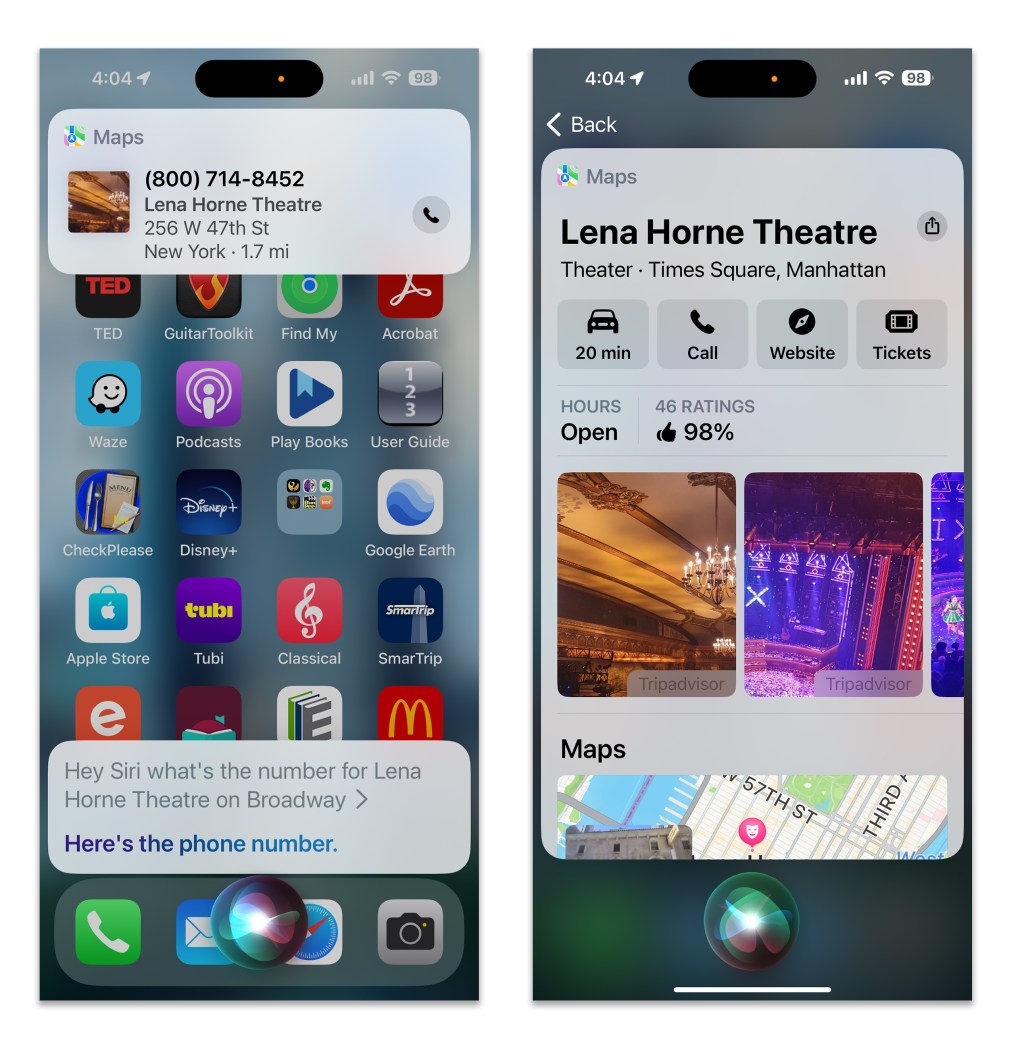
Need to call a business that is not in your contacts list? Just search for the company online with Apple’s Siri, the Google Assistant (or its new Gemini helper) or Samsung’s Bixby. When you see the establishment listed in the search results, just tap the phone icon or telephone number to place the call — or command the virtual assistant to do it.
(If sharing information with your assistant or using artificial-intelligence programs causes concern, read the software’s privacy policy to see how the company is using your data.)
Screen unwanted callers
Don’t waste valuable time on calls you didn’t mean to answer. On an iPhone, open the Settings app, select Phone and scroll down to turn on the Silence Unknown Callers feature. Calls from numbers that aren’t in your contacts list will now be muted and sent directly to voicemail.
Apple’s Live Voicemail feature in iOS 17 offers a real-time transcription of messages being recorded — and you have the option to connect with callers while they’re leaving you a message, much like how it worked in the old days with answering machines. You can also send an incoming call right to Live Voicemail by tapping the Voicemail icon on the call screen. Live Voicemail can be toggled off or on in the Phone app’s settings.
Android-based phones have their own call-management tools, but they vary by the model and software version. To see what is available for you, open the Phone app, tap the Menu icon (the three vertical dots) in the top-right corner and select Settings.
Google’s own Pixel phones have several useful features, like the Call Screen tool that has the Google Assistant pick up and ask who’s calling. Google’s Phone app also has a Caller ID & Spam option, which can help identify callers and block spam calls. Samsung has a similar Smart Call feature in the Phone settings for its Android-based Galaxy devices, and its Bixby assistant can answer for you with the Text Call feature.
Call-screening features can be toggled off and on, for when you are expecting a call from someone not in your contacts list. And in Google’s Contacts app, you can even route calls from selected numbers directly to voicemail.
Hand off the hold queue
Apps and websites have taken over several customer-service tasks like rebooking flights, but sometimes you need to talk to a human. Many companies now use an automated callback service so you don’t have to languish on hold, but in other cases the Google Assistant may be able to wait on your behalf.
Hold for Me, which became available on Google’s Pixel phones in 2020, is one method. You need to enable Hold for Me in the Google Phone app’s settings first, but when you later make a call and get put on hold, tap the Hold for Me option on the phone’s screen. The Google Assistant waits and alerts you when a representative is on the line.
If you don’t have a Pixel phone, there’s the similar “Talk to a Live Representative” experiment from Google’s Search Labs. It’s available in the Google app for iOS and Android; tap the lab-flask icon in the upper-left corner to get to Search Labs. “Talk to a Live Representative” — which is live until the end of 2024 — lists the 1-800 numbers for several airlines and other businesses, and lets you request a call and calls you back when the representative is there. It’s still experimental, though, and might not work consistently.
Don’t miss calls
If you need to keep your ringer silenced but don’t want to miss an important call, use a visual or vibration notification to alert you.
In iOS 17, go to the main Settings app to Accessibility and then Audio & Visual to LED Flash for Alerts. In Android 14, tap the Settings, go to Notifications and select Flash Notifications to get to the options for camera- and screen-flash alerts. You’ll see a pop of light or color when you receive a call.
Flash-sensitive people should use the vibration alternative instead. In the Sound & Haptics settings on an iPhone, you can assign custom vibrations to callers. Android-powered phones, including the Pixel and Galaxy models, have their own adjustable vibration options.
You’ll likely find even more helpful tools in your phone’s settings once you start poking around. And you can enjoy the irony of using 21st-century software to assist with a communications method that has been around for 148 years as of this month.
This article originally appeared in The New York Times.
Get more business news by signing up for our Economy Now newsletter.